Madison Metropolitan School District (MMSD)
Information and policies


Ready, Set, Go parent-teacher conferences are a great opportunity to discuss how technology will be used in your child’s classroom. They occur in the first month of the school year for all elementary and middle school families. Parent Check on Tech created a document with questions to ask your child's classroom or advisory teacher. Our hope is that these questions open a dialogue between parents and teachers about when and why students access screens.
Chromebook Opt-Out Options
At registration, you can opt your student out of using a Chromebook or out of using some Google services. During the school year, you can still opt your child out, using the same options; reach out to your school principal to make the change.
Levels of Chromebook Use
-
No user account: Student won't be assigned a computer or have access to log into network.
-
Google with no additional services: Student can use everything except YouTube, Maps, Translate, Earth.
-
All Google Services: Student can use all services from Google that are available to everyone 18 and under.
New Wireless Device Policy
The MMSD Board of Education passed a new wireless communication device policy for the 2026/27 school year. Thanks in part to Parent Check on Tech's advocacy, the new policy is away-all-day K-12, with an exception for lunch at the high school level and accommodations for IEPs and health care needs.
Based on our survey of high school teachers and other research, including a UW study, Parent Check on Tech supports the current policy, which limits opportunities for misuse and inequitable enforcement during passing periods, lessens the teacher burden, maximizes instructional time, and increases school safety. (More on why students are safer without phones in an emergency.)
Screen time data
According to April 9, 2026 BOE Weekly Update

Why does early elementary have 1:1 Chromebooks?
According to conversations Parent Check on Tech has had with MMSD administration, 1:1 Chromebooks were introduced to accommodate virtual school during COVID in 2020. The district brought back opt-out options during registration for the 2025-26 school year. It is considering rolling back 1:1 devices for K-2. (Student access to technology needed to manage health and disabilities is legally protected by IEPs and 504 plans.)
Parents can access Chromebook activity reports through Securely. Currently, parents must work with teachers to make sure Securely is activated - otherwise the report may appear empty. MMSD is working with ClassLink and Securely to improve the reporting process.
Literacy
Currently, many middle and high schoolers are reading assigned texts on their Chromebooks. Parent Check on Tech has asked the district if physical books are available.
Math
This year, MMSD purchased a K-8 math curriculum that does not require any lessons to be completed on a Chromebook.
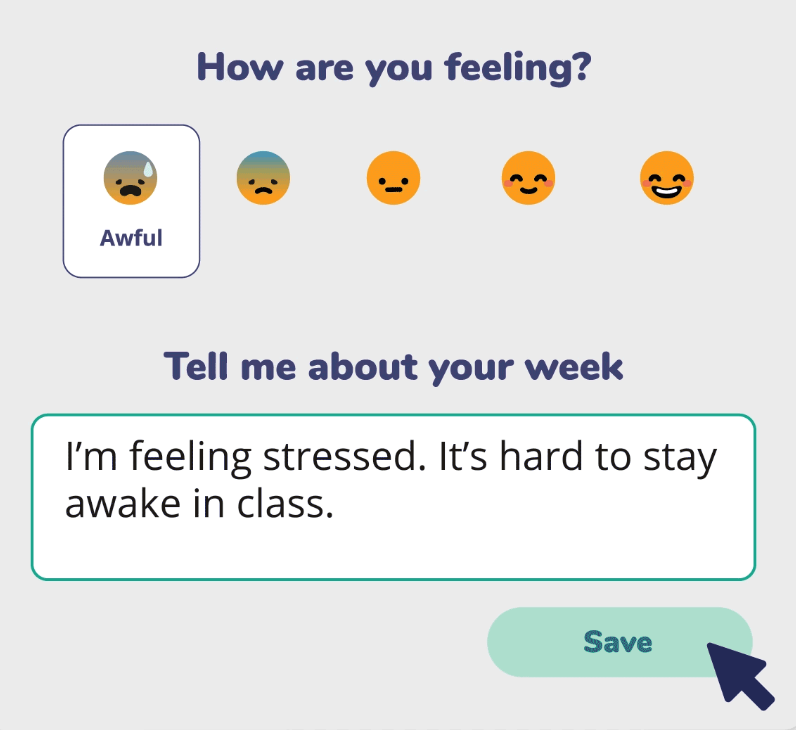
Sown to Grow
MMSD recently purchased a new elementary Social and Emotional Learning (SEL) curriculum called Sown to Grow that includes an "emotional check-in" platform that encourages students to share their feelings with their Chromebooks.
According to Sown to Grow's website: "Data is never sold or used for advertising, nor shared with third parties unless explicitly authorized by the district," and "District contracts and data-sharing agreements always supersede general policies." Parent Check on Tech has asked the district to provide assurances that student data is secure and will not be sold if Sown to Grow is ever acquired.
Contact your child's teacher and principal if you are interested in opting them out of Sown to Grow. (Franklin, Henderson and Thoreau Elementary Schools will not be implementing the online check-in component of the new curriculum.)
School Board Meetings
Regular Meetings
Regular school board meetings are held the last Monday of the month at 6 pm in the Doyle building. Written comments can be submitted between noon the Friday before the meeting and 3 pm on the day of the meeting.
To speak at a regular board meeting, you must register in person or online between 5 and 6 pm on the day of the meeting. Virtual comments are generally allowed to speak first, in the order of registration, followed by in-person comments.
Work Group Meetings
Instructional and Operational Work Groups also meet monthly. (The Instructional Work Group is developing the district Wireless Device Policy.) Virtual speakers can register one hour before the meetings, which are usually held at 5 pm on Mondays.